

Social Media Toolkit
Speakers
Sponsors
Volunteers
Media
Partners
Leadership Council
Speakers

Right-click (or tap and hold) to download image.
To create a bespoke image with your own name and image you can use the canva template provided below
Approved Graphic and Text Pairing for Social Media
Download the provided image or use the canva link to create a personalized version. The text below provides sample text that can be copied to be paired with your graphic when posting.
Please remember to tag @100 Women in Finance in your post.
Sample Text
I will be speaking at @100 Women in Finance’s 2026 Impact Investing Symposium, bringing together leading investors, practitioners, and innovators to explore how capital can drive meaningful social and environmental impact alongside financial returns.
I look forward to supporting this important conversation and engaging with leaders across the impact investing community.
📅 October 8, 2026
📍 New York City
Uniting leaders. Driving capital. Creating real impact.
🔗 Learn more: iis.100women.org
Ticket Registration: iis.100women.org/registration/
#100WomenInFinance #ImpactInvesting #IIS2026 #InvestingForImpact #SustainableFinance #WomenInFinance #PartnerWithPurpose #25YearsOfImpact
Canva Instructions
To Use the Canva Template
- Open the Canva template link provided.
- If you do not already have a Canva account, you will be prompted to create one. Canva offers a free account option and only requires a quick sign up/login.
- Once logged in, click “Use Template” to create your own editable copy. This will open as a new file in your Canva account.
- Replace the sample image with your own photo by dragging and dropping your headshot directly into the design.
- Update the text fields with your:
• Name
• Title
• Company/Organization (if applicable) - Once completed, your design will automatically save in Canva.
- To download your final version:
• Click “Share” in the top right corner
• Select “Download”
• Choose your preferred file type (PNG is recommended)
• Click “Download” again
If you have any questions or run into issues accessing the template, please contact us.
Sponsors

Right-click (or tap and hold) to download image.
To create a bespoke image with your own name and image you can use the canva template provided below
Approved Graphic and Text Pairing for Social Media
Download the provided image or use the canva link to create a personalized version. The text below provides sample text that can be copied to be paired with your graphic when posting.
Please remember to tag @100 Women in Finance in your post.
Sample Text
[Company Name] is proud to sponsor @100 Women in Finance’s 2026 Impact Investing Symposium, bringing together leading investors, practitioners, and innovators to explore how capital can drive meaningful social and environmental impact alongside financial returns.
We look forward to supporting this important conversation and engaging with leaders across the impact investing community.
📅 October 8, 2026
📍 New York City
Uniting leaders. Driving capital. Creating real impact.
🔗 Learn more: iis.100women.org
Ticket Registration: iis.100women.org/registration/
#100WomenInFinance #ImpactInvesting #IIS2026 #InvestingForImpact #SustainableFinance #WomenInFinance #PartnerWithPurpose #25YearsOfImpact
Canva Instructions
To Use the Canva Template
- Open the Canva template link provided.
- If you do not already have a Canva account, you will be prompted to create one. Canva offers a free account option and only requires a quick sign up/login.
- Once logged in, click “Use Template” to create your own editable copy. This will open as a new file in your Canva account.
- Replace the sample image with your logo by dragging and dropping your image directly into the design.
- Update the Organization Name text field.
- Once completed, your design will automatically save in Canva.
- To download your final version:
• Click “Share” in the top right corner
• Select “Download”
• Choose your preferred file type (PNG is recommended)
• Click “Download” again
If you have any questions or run into issues accessing the template, please contact us.
Volunteers
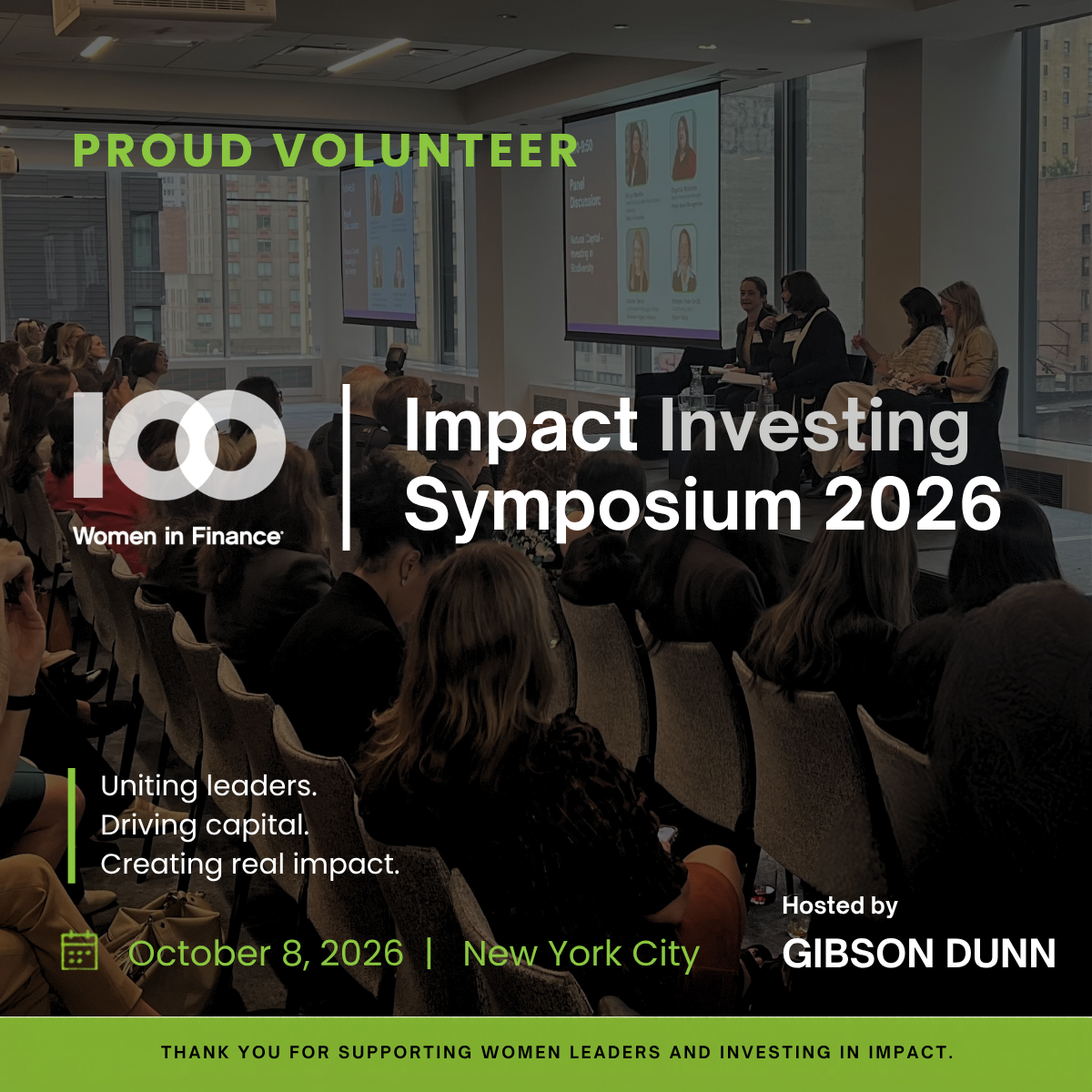
Right-click (or tap and hold) to download image.
To create a bespoke image with your own name and image you can use the canva template provided below
Approved Graphic and Text Pairing for Social Media
Download the provided image or use the canva link to create a personalized version. The text below provides sample text that can be copied to be paired with your graphic when posting.
Please remember to tag @100 Women in Finance in your post.
Sample Text
I’m proud to be a volunteer @100 Women in Finance’s 2026 Impact Investing Symposium, bringing together leading investors, practitioners, and innovators to explore how capital can drive meaningful social and environmental impact alongside financial returns.
I look forward to supporting this important conversation and engaging with leaders across the impact investing community.
📅 October 8, 2026
📍 New York City
Uniting leaders. Driving capital. Creating real impact.
🔗 Learn more: iis.100women.org
Ticket Registration: iis.100women.org/registration/
#100WomenInFinance #ImpactInvesting #IIS2026 #InvestingForImpact #SustainableFinance #WomenInFinance #PartnerWithPurpose #25YearsOfImpact
Canva Instructions
To Use the Canva Template
- Open the Canva template link provided.
- If you do not already have a Canva account, you will be prompted to create one. Canva offers a free account option and only requires a quick sign up/login.
- Once logged in, click “Use Template” to create your own editable copy. This will open as a new file in your Canva account.
- Replace the sample image with your own photo by dragging and dropping your headshot directly into the design.
- Update the text fields with your:
• Name
• Title
• Company/Organization (if applicable) - Once completed, your design will automatically save in Canva.
- To download your final version:
• Click “Share” in the top right corner
• Select “Download”
• Choose your preferred file type (PNG is recommended)
• Click “Download” again
If you have any questions or run into issues accessing the template, please contact us.
Media Partners

Right-click (or tap and hold) to download image.
To create a bespoke image with your own name and image you can use the canva template provided below
Approved Graphic and Text Pairing for Social Media
Download the provided image or use the canva link to create a personalized version. The text below provides sample text that can be copied to be paired with your graphic when posting.
Please remember to tag @100 Women in Finance in your post.
Sample Text
[Company Name] is proud to be a media sponsor @100 Women in Finance’s 2026 Impact Investing Symposium, bringing together leading investors, practitioners, and innovators to explore how capital can drive meaningful social and environmental impact alongside financial returns.
We look forward to supporting this important conversation and engaging with leaders across the impact investing community.
📅 October 8, 2026
📍 New York City
Uniting leaders. Driving capital. Creating real impact.
🔗 Learn more: iis.100women.org
Ticket Registration: iis.100women.org/registration/
#100WomenInFinance #ImpactInvesting #IIS2026 #InvestingForImpact #SustainableFinance #WomenInFinance #PartnerWithPurpose #25YearsOfImpact
Canva Instructions
To Use the Canva Template
- Open the Canva template link provided.
- If you do not already have a Canva account, you will be prompted to create one. Canva offers a free account option and only requires a quick sign up/login.
- Once logged in, click “Use Template” to create your own editable copy. This will open as a new file in your Canva account.
- Replace the sample image with your logo by dragging and dropping your image directly into the design.
- Update the Organization Name text field.
- Once completed, your design will automatically save in Canva.
- To download your final version:
• Click “Share” in the top right corner
• Select “Download”
• Choose your preferred file type (PNG is recommended)
• Click “Download” again
If you have any questions or run into issues accessing the template, please contact us.
Leadership Council
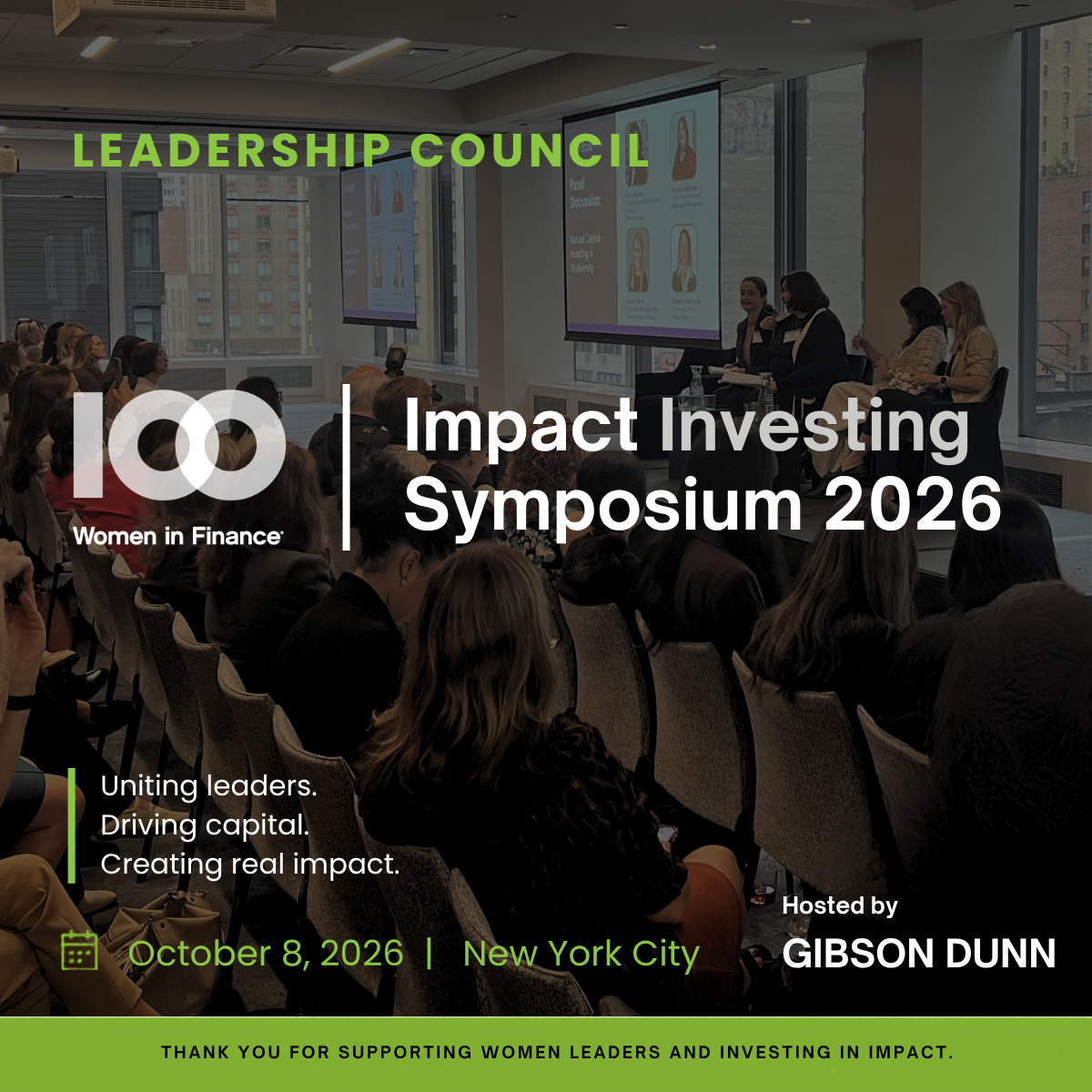
Right-click (or tap and hold) to download image.
To create a bespoke image with your own name and image you can use the canva template provided below
Approved Graphic and Text Pairing for Social Media
Download the provided image or use the canva link to create a personalized version. The text below provides sample text that can be copied to be paired with your graphic when posting.
Please remember to tag @100 Women in Finance in your post.
Sample Text
I’m proud to be a member of the leadership council @100 Women in Finance’s 2026 Impact Investing Symposium, bringing together leading investors, practitioners, and innovators to explore how capital can drive meaningful social and environmental impact alongside financial returns.
I look forward to supporting this important conversation and engaging with leaders across the impact investing community.
📅 October 8, 2026
📍 New York City
Uniting leaders. Driving capital. Creating real impact.
🔗 Learn more: iis.100women.org
Ticket Registration: iis.100women.org/registration/
#100WomenInFinance #ImpactInvesting #IIS2026 #InvestingForImpact #SustainableFinance #WomenInFinance #PartnerWithPurpose #25YearsOfImpact
Canva Instructions
To Use the Canva Template
- Open the Canva template link provided.
- If you do not already have a Canva account, you will be prompted to create one. Canva offers a free account option and only requires a quick sign up/login.
- Once logged in, click “Use Template” to create your own editable copy. This will open as a new file in your Canva account.
- Replace the sample image with your own photo by dragging and dropping your headshot directly into the design.
- Update the text fields with your:
• Name
• Title
• Company/Organization (if applicable) - Once completed, your design will automatically save in Canva.
- To download your final version:
• Click “Share” in the top right corner
• Select “Download”
• Choose your preferred file type (PNG is recommended)
• Click “Download” again
If you have any questions or run into issues accessing the template, please contact us.